
Wavelength Online With Friends: Easy Remote Setup & Rules

Play a shared spectrum game even when everyone is on a different computer.

One HostVoice-Call FriendlyHidden TargetsPhone Ready
Quick answer: Yes, you can play Wavelength online with friends on different computers. The smoothest setup uses one host to open the browser board, a Zoom, Discord, Meet, or similar call for discussion, and a simple privacy rule: only the Psychic sees the hidden target before the team locks its guess. Friends do not need matching apps or a shared account.
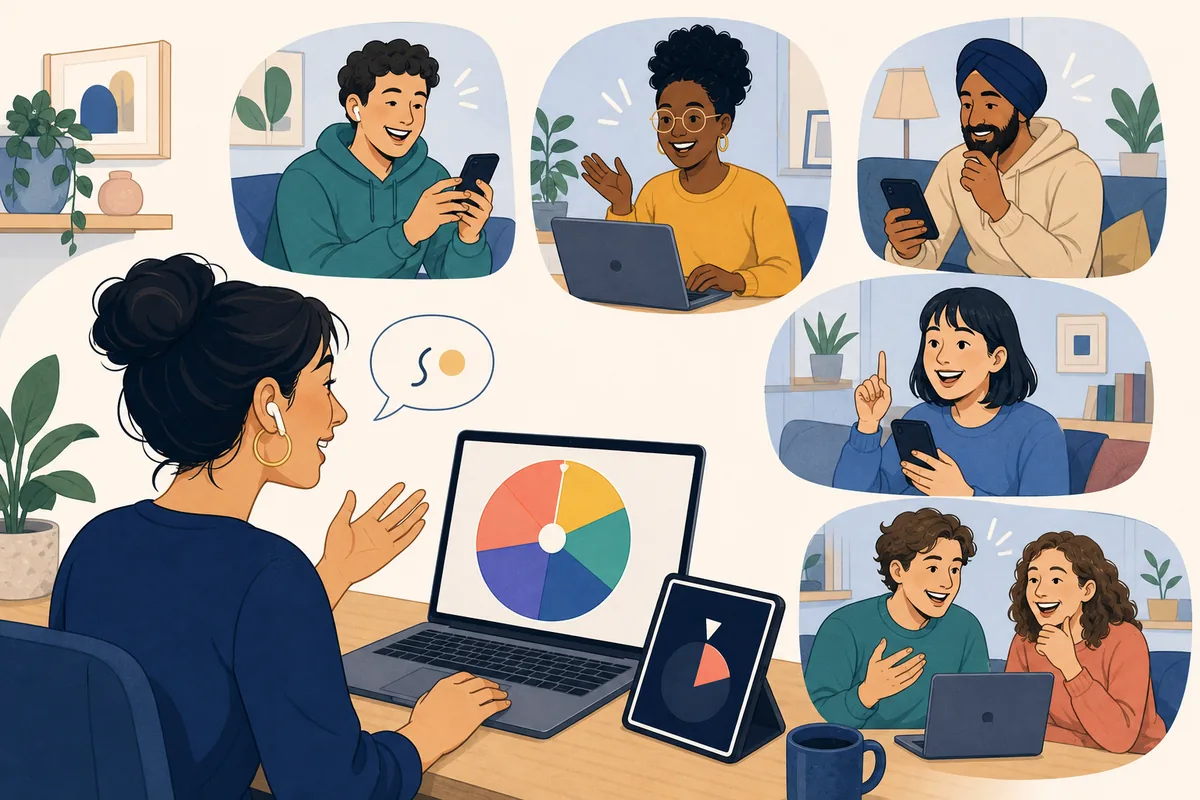
Friends on separate video calls discussing a colorful Wavelength spectrum on a shared laptop
Editorial illustration of a remote Wavelength game with friends. It explains the group format and is not an official product screenshot.

If you searched for wavelength online with friends, you probably want to know two things: whether the game works across separate homes, and who should control the board. It does. Wavelength is naturally suited to a host-and-call format because the fun comes from the clue debate, not from every player owning a separate board.

One person opens the free Wavelength game online, shares the board when the target is hidden, and keeps the target private during the clue and discussion. Everyone else joins the call, listens to the same two endpoints, argues about the clue, and agrees on one final position. The host reveals the target and records the score.

This guide focuses on a friend group that already has a call or group chat. It is different from the public Wavelength with strangers guide, which needs moderation and safety rules, and different from the no-board Wavelength setup, which explains how to replace the physical game with paper or a phone.
What You Need to Play Wavelength Online With Friends

You do not need a complicated multiplayer lobby. A good remote round separates the board from the conversation: one browser tab handles the target and guess, while the call handles voices, reactions, and debate. Decide who the host is before sending the link so the first round does not stall.

PartSimple optionWhy it matters
Shared boardWavelength Game OnlineThe host needs one place to reveal a target, move the guess, and keep the score.
ConversationZoom, Discord, Google Meet, or a group voice callThe debate is the game. Voice is faster than sending every clue and argument through chat.
HostOne person who shares the screenA single controller prevents duplicate guesses and makes the hidden-target phase easier to protect.
PlayersFour to eight friends is a comfortable starting rangeEveryone gets a chance to speak without turning one clue into a long meeting.
Prompt bankWavelength prompts and topicsUse familiar endpoints with a meaningful middle; save niche references for groups that share them.

How to Set Up a Remote Wavelength Game in 6 Steps

The host can prepare the whole room in a few minutes. Before the first round, explain that the Psychic gives one clue, the team chooses one position, and the target is revealed only after the guess is locked. That short explanation prevents most remote-play confusion.

1. Choose a hostPick the friend with the most stable connection or the easiest screen-sharing setup. The host opens the board and tracks the round.
2. Join one callUse a voice or video room so everyone hears the same clue and can debate without a long chat delay.
3. Set the turn orderRotate the Psychic clockwise or by a simple player list. Tell the next Psychic when it is safe to look at the target.
4. Hide the targetThe host or Psychic checks the target privately, then hides it before the group starts discussing the clue.
5. Lock one guessFriends debate the spectrum, then one person gives the final position. Do not move the marker while the target is visible.
6. Reveal and rotateShow the target, score the round, let the Psychic explain the clue if helpful, and hand the next turn to another friend.
Remote Wavelength host using a laptop while friends join from phones and separate computers
Editorial setup illustration: one person hosts the board while friends join from separate devices. It is a concept visual, not a screenshot of a live call.

How One Wavelength Turn Works Online

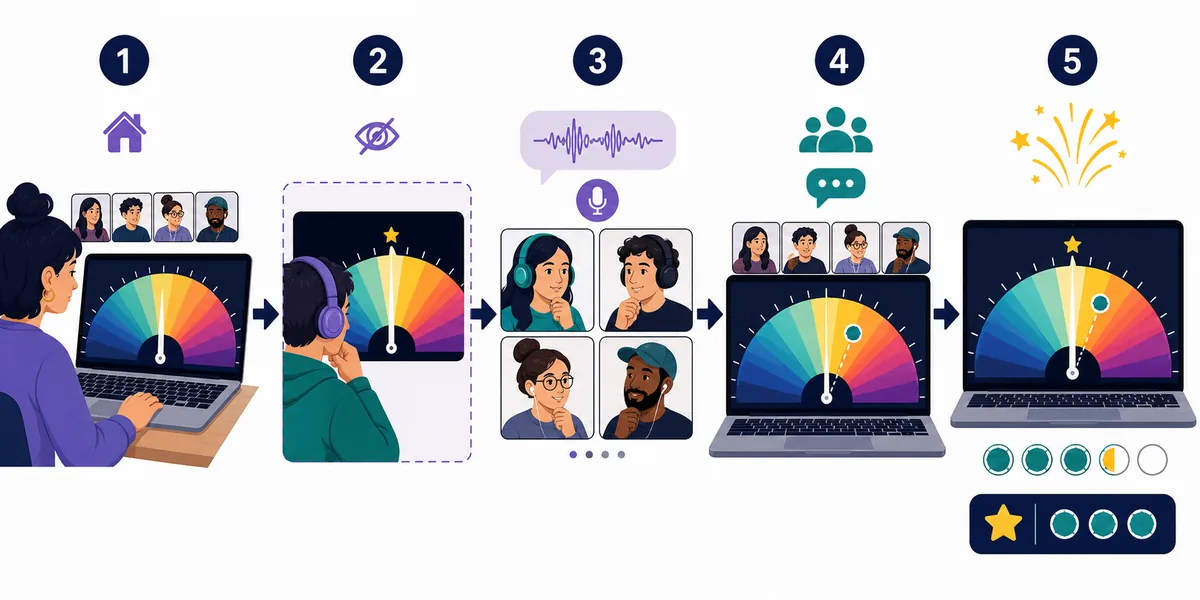
Remote play feels fair when each phase has a clear owner. The host protects the board, the Psychic protects the clue, and the team protects the final decision. Do not ask the Psychic to keep reacting to guesses; their silence is part of the challenge.

Five-step editorial flow showing host setup, private target, clue, team guess, and score reveal in remote Wavelength
Five visual moments of a remote turn: prepare, keep the target private, give one clue, lock the guess, and reveal the score. This is a generated explanatory illustration, not an official interface.
PhaseHostPsychicFriends
Before the clueShares the board only when the target is safe to show.Checks the hidden target without describing it directly.Looks at the endpoints and gets ready to discuss.
ClueConfirms everyone heard the same short clue.Gives one word or short phrase, then stays neutral.Asks what the clue means on the spectrum, not for a second hint.
DiscussionKeeps the call moving and reminds people of the time limit.Does not nod, laugh, or correct the team.Explains why the clue feels low, middle, or high.
GuessMoves or confirms one final marker only.Waits until the choice is locked.Names one position instead of submitting several guesses.
RevealShows the target and records points.Explains the intended reading if the group wants a debrief.Compares the team interpretation with the target and rotates roles.

Best Remote Format by Group Size

The same browser board can support different group shapes, but the conversation needs different rules. If you have only two people, use a cooperative rhythm. If you have a larger friend group, use teams and rotate the Psychic so the host is not always the same person.

GroupRecommended formatRemote adjustment
2 playersCooperative Psychic and guesserShare one score, alternate roles, and use the dedicated 2-player Wavelength guide for a tighter setup.
3–4 playersOne Psychic and a small guessing teamLet everyone give an initial position before the group settles on one marker.
5–8 playersTwo teams or one shared teamUse a 60–90 second discussion limit and ask a quiet player to speak first once per round.
9–12 playersTwo teams with a scorekeeperKeep the same number of turns per team and mute side conversations when the clue is delivered.
Mixed devicesOne shared host screen plus phonesPlayers can join the call from a phone; the host should keep the board on a larger screen when possible.
Small-group shortcut: if your friends only have ten minutes, play three rounds and rotate the Psychic each time. A short fixed session is easier to schedule than waiting for everyone to agree to a full game-night block.

Fair-Play and Timing Tips for Friends Online

Friends usually need fewer moderation rules than strangers, but remote calls create their own problems: lag, accidental spoilers, background noise, and a loud player taking over the debate. A few simple habits keep the round social instead of technical.

  • Hide before you talk: the target should disappear before the Psychic gives the clue, not halfway through the discussion.
  • One clue means one clue: facial reactions, “warmer” comments, and follow-up hints can make the target too obvious.
  • Use a visible timer: 60–90 seconds is enough for a normal friend group; extend it only when the clue creates a genuinely interesting argument.
  • Lock the guess aloud: say “final” before the host moves the marker so a late opinion does not change the score.
  • Start with shared references: food, movies, everyday habits, travel, and simple opinions work better than an inside joke that only two friends understand.
  • Let people skip: if a prompt feels too personal, replace it without making the player explain why. The game is better when the room can reset quickly.

For ready-to-read material, use the Wavelength game questions page. For a longer mix of themes and spectrum pairs, use the prompts collection. Those pages supply the content; this guide explains how to make the remote friend-group format run smoothly.

Wavelength Online With Friends FAQ

Can you play Wavelength online with friends on different computers?

Yes. One host can open the browser board while friends join the same voice or video call from their own computers. The host handles the hidden target, final marker, and score; everyone else focuses on the clue discussion.

Does everyone need to open the Wavelength game?

No. A one-host setup is usually clearer. Friends can watch the shared board or listen to the host's description, depending on whether the target is currently hidden. If several people open the game, choose one controller before the first round.

Can we play Wavelength with Zoom or Discord?

Yes. Use any call that lets the group hear the clue and debate the position. Keep the browser board in one shared window, and pause or hide screen sharing if the target would become visible before the team guesses.

How many friends work best for an online game?

Four to eight players is a comfortable range for most calls. Two players can use a cooperative format, while nine or more players should use teams, a scorekeeper, and a timer so every person gets a fair turn.

What if a friend joins late?

Add them at the next round rather than interrupting a live clue. Give the late player a one-sentence explanation of the Psychic, clue, guess, reveal sequence, then place them on the next team rotation.

Start a Wavelength Game With Friends Now

The easiest remote version is simple: choose a host, open the browser board, join one call, keep the target private, and let the group debate one clue at a time. If you are ready to play, open the free Wavelength game; if you are still choosing a format, compare the four-player guide or the complete Wavelength rules guide.